We've covered Wi-Fi 6 and routers, but there's more to Wi-Fi standards than just the "6." Understanding the different Wi-Fi standards — and the bands they use — helps you choose a router and understand its performance. This guide explains Wi-Fi standards in plain terms.
Here's what you need to know about Wi-Fi standards and bands.
The generations
Wi-Fi has generations, each faster and better than the last:
| Generation | Notes |
|---|---|
| Wi-Fi 5 | Older standard, still common |
| Wi-Fi 6 | Current mainstream — faster, handles more devices |
| Wi-Fi 6E | Wi-Fi 6 plus a new, less-crowded band |
| Wi-Fi 7 | Newest — fastest, but pricier and not needed by most |
Wi-Fi 6 is the current sweet spot — faster and better at handling many devices. Wi-Fi 6E adds a new band; Wi-Fi 7 is newest but overkill for most (see our Wi-Fi 6 guide).
The bands
Wi-Fi broadcasts on different radio bands, and understanding them helps:
💡 The bands in plain terms
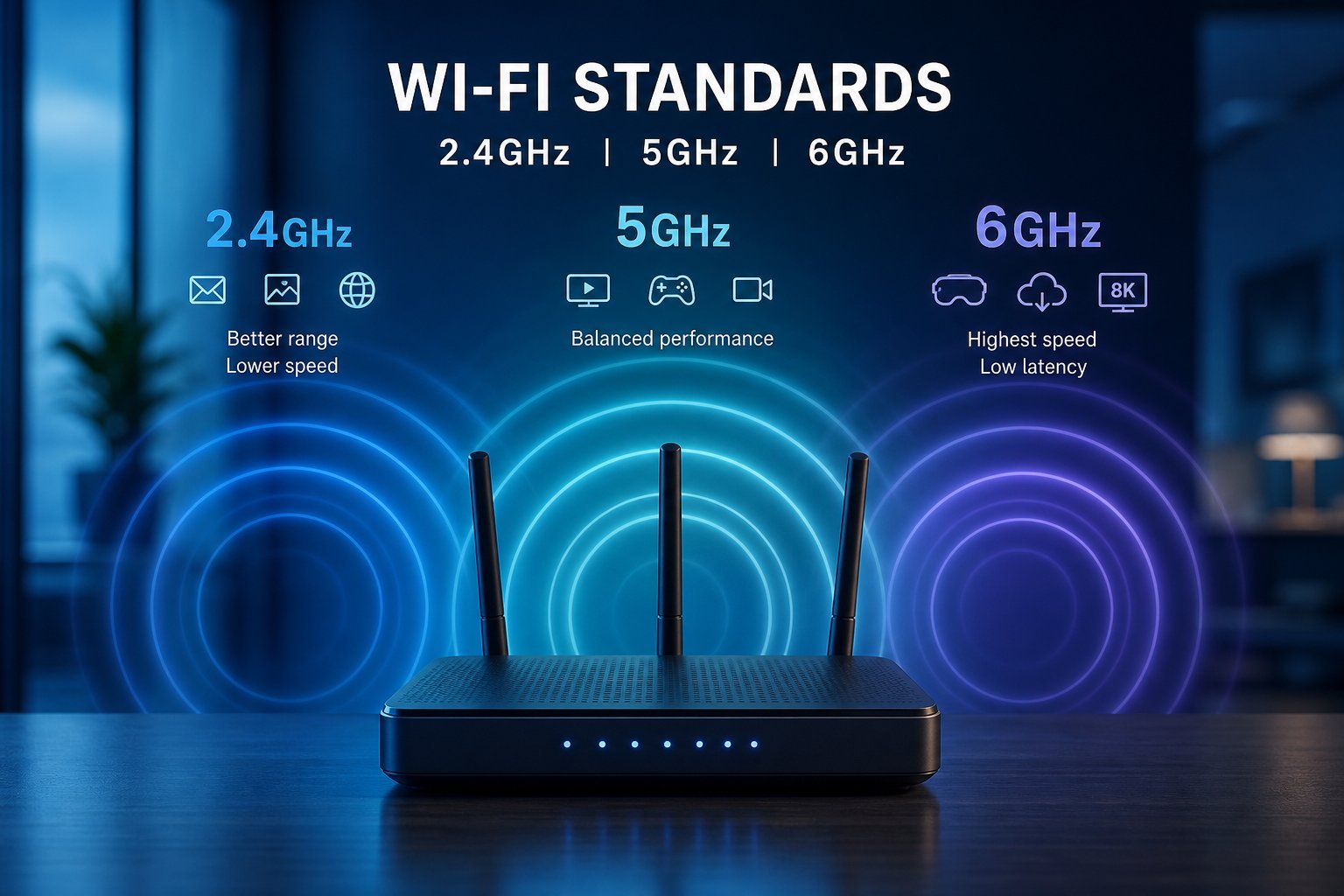
Your router broadcasts on bands. 2.4 GHz travels farther but is slower and more crowded; 5 GHz is faster with less range — best for speed-sensitive devices; 6 GHz (newer) is fastest but shortest-range. Use 5/6 GHz for speed, 2.4 GHz for range.
What to choose
Here's how to use this understanding when buying a router:
✨ Use the right band for the right device
For the best performance, connect speed-sensitive devices (streaming, gaming) to the 5 GHz band and leave 2.4 GHz for range and smart devices. Many routers handle this automatically with band steering, but knowing the difference helps you troubleshoot (see our network guide).
📌 Bottom line
Wi-Fi standards have generations — Wi-Fi 6 is the current sweet spot, faster and better at handling many devices. Wi-Fi broadcasts on bands: 2.4 GHz (range, slower), 5 GHz (speed, less range), and 6 GHz (newest, fastest, shortest). When buying a router, look for dual-band or tri-band, prefer Wi-Fi 6, match to your devices, and don't overpay for the newest standard. Use the 5 GHz band for speed-sensitive devices and 2.4 GHz for range.