"1080p," "1440p," "4K," "retina," "pixels," "aspect ratio." Screen resolution is one of the most common specs, but it confuses a lot of people. Understanding it helps you choose monitors, TVs, laptops and phones wisely — and know what you're actually looking at.
This guide explains screen resolution in plain terms — what it means, the common sizes, and how it affects what you see.
What resolution is
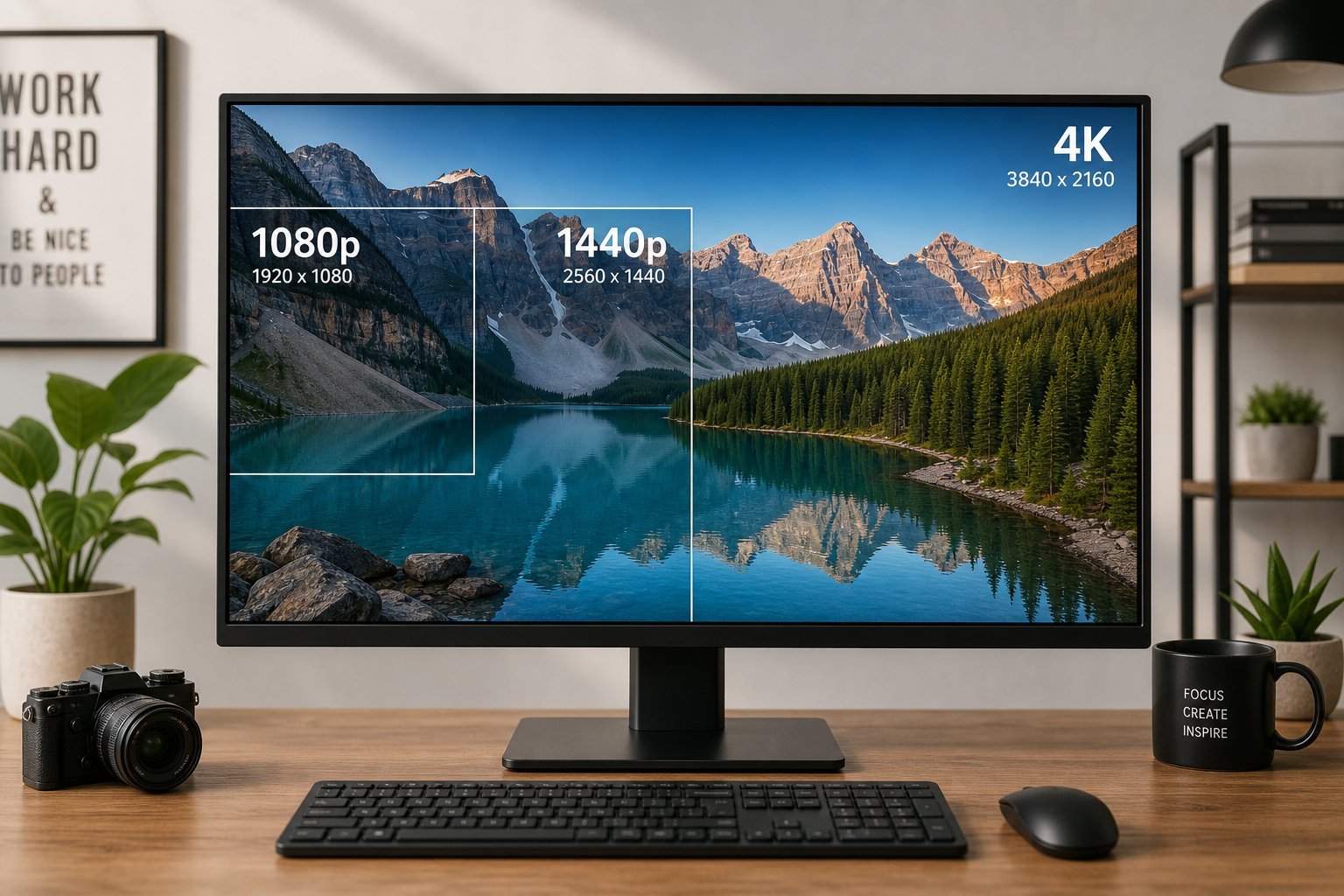
Screen resolution is how many pixels a screen has. A pixel is a tiny dot of color; millions of them make up the image you see. Resolution is expressed as width × height (like 1920 × 1080).
- More pixels = sharper, more detailed image.
- The name (1080p, 4K) refers to the resolution. "p" means progressive scan; "K" refers to thousands of horizontal pixels.
- Same resolution on a smaller screen looks sharper. Pixels are packed tighter.
The core idea: resolution is how many pixels a screen has. More pixels mean a sharper image — but how sharp it looks also depends on screen size.
Common resolutions
Here are the common resolutions you'll encounter:
| Name | Pixels | Where you see it |
|---|---|---|
| HD / 720p | 1280 × 720 | Budget, small screens |
| Full HD / 1080p | 1920 × 1080 | Standard monitors, TVs, phones |
| QHD / 1440p | 2560 × 1440 | Higher-end monitors |
| 4K / UHD | 3840 × 2160 | Modern TVs, premium monitors |
| 8K | 7680 × 4320 | Newest TVs (rare content) |
1080p is the standard, 1440p is common on monitors, and 4K is standard on modern TVs. Each step up roughly doubles the pixels.
Does higher resolution matter?
Whether higher resolution matters depends on your screen and use:
💡 The resolution rule
Higher resolution is sharper, but it matters most on larger screens and for text/work. 1080p is fine for small screens; 1440p is great for monitors; 4K is the standard for TVs. Don't overpay for resolution your hardware can't drive (gaming) or you won't notice (small screens). Match it to your screen size and use.
✨ Match resolution to screen size
A good rule: small screens (phones, ~24" monitors) are fine at 1080p; ~27" monitors benefit from 1440p; large TVs shine at 4K. Match the resolution to the screen size and your use, and you'll get the sharpness you need without overpaying for pixels you can't notice.
📌 Bottom line
Screen resolution is how many pixels a screen has — more pixels mean a sharper image, but sharpness also depends on screen size. The common resolutions are 1080p (standard), 1440p (monitors) and 4K (modern TVs). Higher resolution matters most on larger screens and for text/work. Match resolution to your screen size and use — don't overpay for pixels your hardware can't drive or you won't notice. Understanding resolution helps you choose the right monitor, TV, laptop and phone.