Every time you type a website address like "example.com" into your browser, something quietly translates it into the numbers your computer actually uses to find the site. That "something" is called DNS — and it's one of the most important, least-understood parts of the internet.
You've probably seen DNS mentioned in error messages ("DNS server not responding") or router settings without knowing what it is. This guide explains DNS in plain terms, why it matters, and the few times it's worth paying attention to it.
What we'll cover
What DNS is The phone book analogy Why it matters to you Should you change your DNS?What DNS is
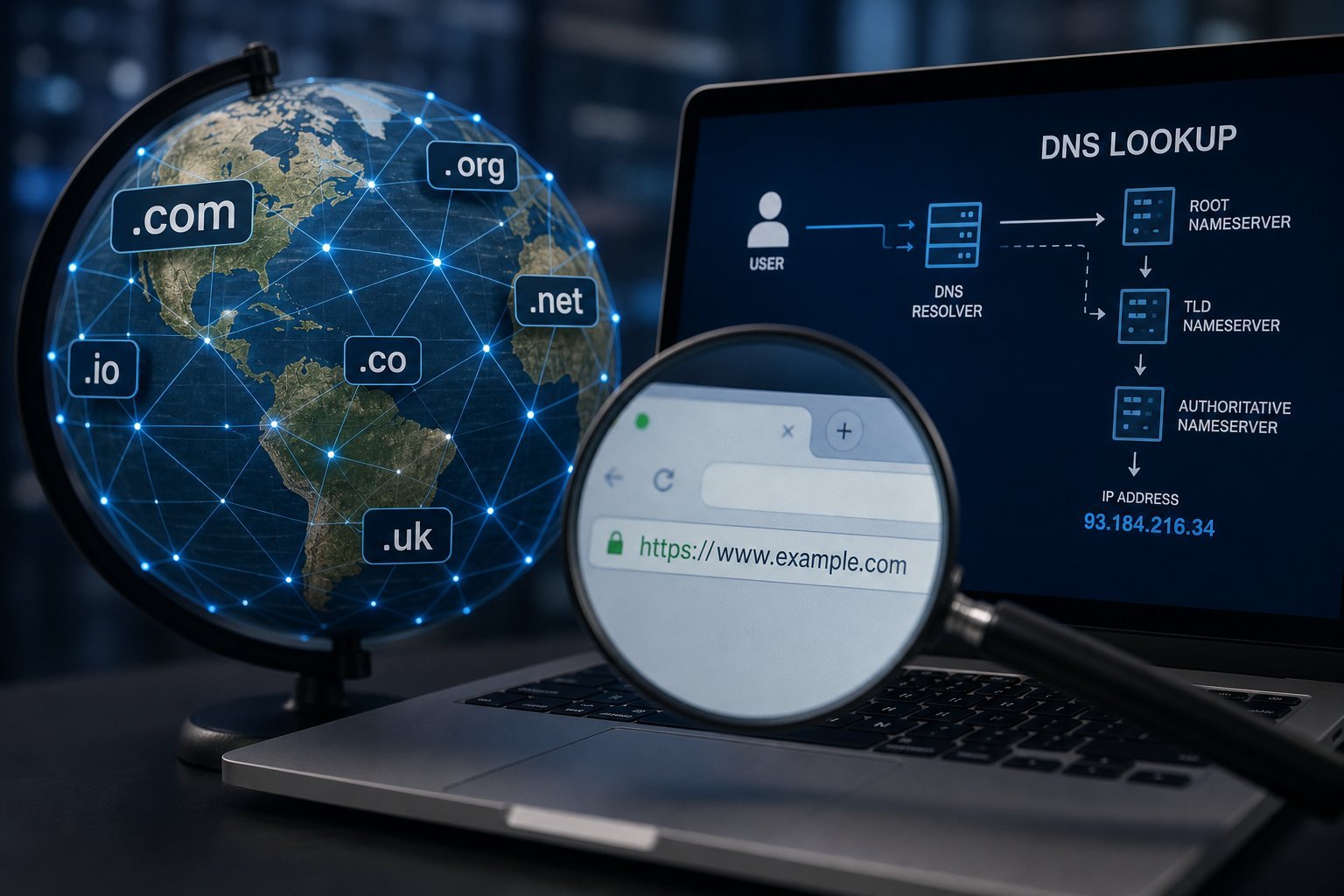
DNS stands for Domain Name System. It's the internet's address book — the system that translates human-friendly domain names (like "hightechbee.com") into the numeric IP addresses (like "192.0.2.1") that computers use to find each other.
Here's the thing: humans remember words; computers remember numbers. When you type a website name, your browser asks a DNS server, "what's the address for this name?" The DNS server looks it up and returns the number, and your browser connects.
Without DNS, you'd have to memorize numeric IP addresses for every website — which would be impossible. DNS is the invisible translator that makes the internet usable by humans.
The phone book analogy
The easiest way to understand DNS is the phone book analogy:
Just like a phone book, DNS works in the background. You don't see it; you just benefit from it. When it works, you don't think about it. When it breaks, websites stop loading even though the internet itself is fine.
Why it matters to you
Most of the time, DNS just works and you never notice it. But there are a few ways it touches your daily life:
- When it fails: You might see "DNS server not responding" or a site that won't load while others work fine. This is often a temporary DNS problem.
- When you set up a router: Your router has DNS settings. Usually the defaults are fine, but you can change them.
- Speed: DNS lookups happen in milliseconds, so they're rarely the cause of slow internet. But a slow DNS server can add small delays.
- Parental controls and filtering: Some DNS services can block adult or malicious sites — a way to add filtering at the network level.
For most people, DNS is invisible infrastructure. Knowing what it is helps you understand those occasional error messages and the rare settings you might want to change.
Should you change your DNS?
You'll sometimes see advice to change your DNS server (usually to a faster or more private one like Google Public DNS or Cloudflare). Here's the honest take:
💡 The honest recommendation
You generally don't need to change your DNS. Leave it as default unless you're troubleshooting a DNS problem or specifically want content filtering or a bit more privacy. If you do change it, use a reputable public DNS (like Cloudflare or Google) — changing it on your router applies it to your whole home network.
If you ever see a DNS error, a simple fix is to restart your router or change your DNS to a public one. But for most people, DNS is best left alone — it's one of those things that just works behind the scenes.
📌 Bottom line
DNS is the internet's address book — it translates website names into the numbers computers use, working invisibly in the background. For most people, it "just works" and needs no attention. You only really notice it when something fails (like a "DNS server not responding" error). You generally don't need to change your DNS, but a reputable public DNS (Cloudflare or Google) can help with DNS problems, add a little privacy, or provide content filtering. Understand what it is, and those occasional error messages stop being a mystery.